

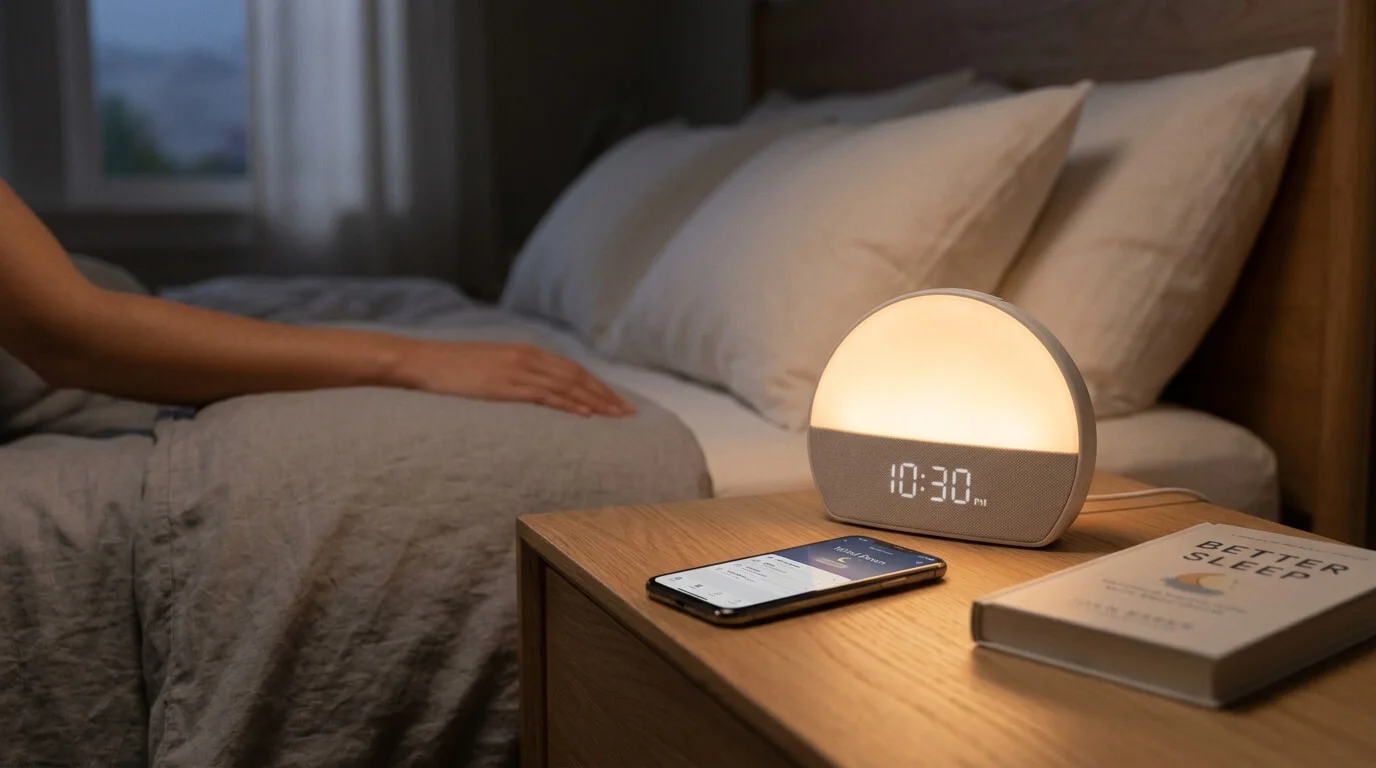

If you’ve ever been jolted awake by a loud phone alarm and started the day already feeling stressed, you’re not alone. That’s exactly why so many people are looking at the Hatch alarm clock as more than just a clock. It’s designed to be part wake-up light, part sound machine, part bedtime companion, and part sleep routine coach.
Instead of the usual “beep-beep-get-up-now” approach, Hatch tries to make sleep and waking feel gentler. Think of it like swapping a blaring car horn for a sunrise through your bedroom window. One is abrupt. The other eases you into the day.
In this guide, we’ll break down what the Hatch alarm clock is, how it works, what features stand out, who it’s best for, and whether it’s really worth the money. If you’re curious about using one to improve your nights and mornings, this article will walk you through it in simple language.
1. What Is a Hatch Alarm Clock?
A Hatch alarm clock is a smart sleep clock built to help you wind down at night and wake up more gently in the morning. Unlike a regular bedside clock, it combines several tools into one device:
- Alarm clock
- Sunrise wake-up light
- Sound machine
- Night light
- Sleep routine device
- App-connected sleep companion
The best-known model is the Hatch Restore line. Hatch markets it as a device for people who want to reduce screen time at bedtime, sleep more consistently, and avoid harsh alarms in the morning. Rather than just telling you the time, it helps create a full sleep environment.
In simple terms, it’s not only about waking up. It’s about shaping your whole sleep routine.
 2. Why Hatch Has Become So Popular
There’s a reason so many people talk about Hatch online. Modern sleep habits are messy. Most of us take our phones to bed, scroll longer than we planned, and then wake up to a loud alarm that feels like a mini heart attack.
The Hatch alarm clock speaks directly to that problem.
It offers a phone-free sleep routine
Instead of using your phone for alarms, white noise, sleep music, and bedtime reminders, Hatch puts those features on a bedside device. That matters because screens, notifications, and late-night scrolling can make it harder to settle down.
It makes waking up feel less harsh
One of Hatch’s biggest selling points is the sunrise alarm, which gradually brightens before your alarm sound starts. This can feel more natural than waking up suddenly to a sharp tone.
It turns sleep into a routine instead of a struggle
Many people don’t just need an alarm. They need help slowing down, creating consistency, and making bedtime feel intentional. Hatch leans into that by offering soundscapes, lights, and step-by-step wind-down routines.
In a world where sleep often feels like an afterthought, Hatch is selling the opposite: a calm, guided bedtime experience.
3. Main Features of the Hatch Alarm Clock
The Hatch alarm clock is popular because it blends several features into one device. Let’s look at the most important ones.
Sunrise alarm
This is the star feature. Before your alarm time, the light slowly brightens to mimic sunrise. Then your chosen sound plays.
Sleep sounds
You can fall asleep to white noise, rain, ocean sounds, music, guided meditations, or stories depending on the model and content access.
Custom routines
You can build routines that move through different stages. For example:
- Soft reading light
- Relaxing music
- Rain sounds
- Gentle fade to darkness
Bedside controls
Hatch devices are designed so you don’t have to reach for your phone every time. Many actions can be done right from the clock itself.
Clock display controls
You can customize whether the time stays visible all night, turns off at night, or appears only when tapped. Hatch support documentation shows that display brightness and clock visibility can be adjusted, including daytime and nighttime brightness settings.
Alarm toggle
Some Hatch Restore models include a physical switch to enable or disable alarms without opening the app. Hatch’s support pages explain that this toggle can turn all scheduled alarms on or off directly from the device.
App connection
The Hatch Sleep app is used for setup, alarms, routines, and content management. You can personalize sounds, light colors, brightness, and schedules.
When you put all of that together, Hatch becomes less like a plain alarm clock and more like a bedside sleep system.
4. How the Sunrise Alarm Works
If you’ve never used a wake-up light before, the sunrise alarm can sound a little fancy. But the idea is simple.
Before your chosen wake-up time, the Hatch alarm clock gradually increases light in your room. The brightness builds over time, like dawn creeping in through curtains. Once the light sequence reaches its peak, your alarm sound begins.
Hatch describes this as a gentler way to wake up that supports a more natural-feeling morning routine. Their support guide for Restore alarms explains that users can choose the sunrise start time, sound, and light combination for a custom wake-up experience.
Why this matters
A loud phone alarm can feel like being yanked out of sleep. A sunrise alarm tries to do the opposite. It eases the body toward wakefulness before sound even begins.
What it feels like in practice
Imagine your room slowly shifting from dark to warm light while soft audio waits in the background. Instead of “Wake up right now,” it feels more like “Good morning, we’re heading into the day.”
Of course, no device can magically turn every Monday into a joyride. But for many people, a gradual wake-up feels noticeably less stressful than a standard alarm.
5. Sleep Sounds, Lights, and Bedtime Routines
The Hatch alarm clock isn’t only about mornings. In fact, a big part of its value is what happens before you fall asleep.
Sleep sounds
Depending on the model and content access, Hatch offers options such as:
- White noise
- Brown noise
- Rain
- Ocean waves
- Wind
- Guided rest content
- Soft music
- Meditations
- Stories or audio programs
Hatch says Restore users can access a library of sleep and wake content, with a larger catalog available through Hatch+ membership. Their site mentions a growing library with thousands of audio options and rotating content for sleep routines.
Light settings
Light can be part of both your wind-down and wake-up routine. For example, you might set:
- A dim amber light while reading
- A warm low light during meditation
- Total darkness after audio ends
- A sunrise glow before your alarm
Bedtime routines
This is where Hatch starts to feel clever. Instead of one action, it can guide you through a sequence. A sample routine could be:
- 9:45 PM – soft amber light turns on
- 9:50 PM – calming music begins
- 10:05 PM – music switches to rain sounds
- 10:30 PM – lights fade out completely
That kind of routine can help signal to your brain that the day is ending. It’s like giving your body a bedtime runway instead of expecting it to land instantly.
6. Hatch Restore Models and Differences
When people say “Hatch alarm clock,” they’re often talking about the Hatch Restore series. There have been multiple versions, including Restore 2 and Restore 3.
Hatch Restore 2
Restore 2 focuses on:
- Sunrise alarms
- Bedtime routines
- Sleep sounds
- App control
- A more minimal bedside experience
Hatch Restore 3
Restore 3 continues the same overall concept but includes updated controls and settings. Hatch’s current product page describes Restore 3 as a smart sleep clock built for phone-free sleep routines, with sound, light, and gentle wake-up features. Hatch also notes features such as a large top button, clock display customization, and Hatch+ trial access with the device.
What matters most when comparing models
For most buyers, the key questions are:
- How important is the latest design?
- Do you want the newest controls and updated interface?
- Are you comfortable using the app regularly?
- Is price a deciding factor?
If you’re shopping, always compare the current Hatch product pages and support pages because model details, pricing, and included trial offers can change over time. As of recent Hatch listings, Restore 3 is positioned as the current smart sleep clock offering, while older Restore models may still appear in guides and support documents.
7. How to Set Up a Hatch Alarm Clock
Getting started is usually straightforward, especially if you’re already comfortable with apps and smart devices.
Basic setup steps
While exact steps can vary by model, the process generally looks like this:
1. Plug in the device
Place the Hatch on your bedside table where the light can be seen clearly.
2. Download the Hatch Sleep app
The app is the main control center for setup and customization.
3. Connect your device
Follow the app prompts to connect the Hatch clock to Wi-Fi and pair it with your account if needed.
4. Set your bedtime routine
Choose what happens before sleep:
- light color
- sound
- duration
- fade timing
5. Create your wake-up alarm
Set:
- alarm days
- wake time
- sunrise start time
- sound
- volume
- light style
6. Adjust the clock display
You can choose whether the time is always visible, hidden at night, or shown only when tapped, depending on the model. Hatch’s support documentation outlines clock display and brightness settings for Restore models.
7. Test it once before relying on it
This step matters. Don’t wait until an important workday to discover your volume was too low or your sunrise started too late. Test it on a normal night first.
8. Using the Hatch App and Subscription Features
The app is a major part of the Hatch experience. It’s where you build routines, pick sounds, change light colors, manage alarms, and fine-tune settings.
What the app usually lets you control
- Bedtime routines
- Wake-up alarms
- Sound choices
- Volume
- Light colors and brightness
- Clock display behavior
- Alarm schedules
What is Hatch+?
Hatch also offers a subscription called Hatch+. According to Hatch, Hatch+ expands the content library with additional sleep content such as meditations, podcasts, stories, and alarms, and some devices include a free trial period. Hatch currently lists Hatch+ at $4.99/month or $49.99/year on its Restore learning page, though pricing and offers can change.
Can you use Hatch without a subscription?
Yes, but the exact experience depends on the model and current Hatch offering. Hatch support and product pages indicate that Restore devices can still function as alarm clocks and sleep devices without needing every premium content feature, though Hatch+ unlocks a larger content library.
This is an important point for buyers: if you want only the core alarm, light, and sound features, you may be happy without paying monthly. But if you love fresh guided content and lots of variety, the subscription might be appealing.
9. Real Benefits of Using a Hatch Alarm Clock
So, what does Hatch actually do for everyday life? Here are the biggest practical benefits.
1. It can make mornings feel calmer
The sunrise alarm is the obvious win here. Instead of getting shocked awake, you wake in stages.
2. It helps reduce bedtime phone use
If you normally use your phone for alarms, white noise, sleep music, and the time, Hatch can replace a lot of that. Fewer reasons to touch your phone at night can mean less scrolling and less stimulation.
3. It creates a sleep ritual
Sleep isn’t only about lying down. A routine matters. Light, sound, and repetition can make bedtime feel more predictable.
4. It simplifies your nightstand
Instead of needing a lamp, white-noise machine, alarm, and app playlist all at once, Hatch rolls several jobs into one.
5. It feels more intentional than a standard clock
That may sound small, but it matters. A Hatch clock encourages you to treat sleep as something worth planning, not just something you squeeze in after a long day.
Hatch also cites customer sleep surveys showing many users report improved sleep and better rest with Restore, though those are company-provided results rather than independent clinical proof.
10. Possible Drawbacks Before You Buy
No product is perfect, and Hatch has a few downsides worth thinking about.
It’s expensive compared with a basic alarm clock
If all you need is a clock that wakes you up at 7:00 AM, Hatch may feel like overkill. It’s priced more like a wellness device than a standard bedside alarm.
The app matters a lot
If you hate managing gadgets through apps, Hatch may not feel as simple as it first appears. Setup and deeper customization depend heavily on the app experience.
Subscription extras can feel like a mixed bag
Some people don’t mind paying for a bigger audio library. Others dislike the idea of buying a premium device and then being nudged toward monthly content access.
It won’t solve every sleep issue
A Hatch alarm clock can support better habits, but it’s not a cure-all. If your sleep problems come from stress, medical issues, a chaotic schedule, or environmental factors, the clock can help around the edges without fixing the whole picture.
You still need to build the habit
This device can set the stage, but you still have to show up. If you ignore bedtime, scroll on your phone anyway, or keep changing your sleep schedule, the Hatch can only do so much.
11. Who Should Buy a Hatch Alarm Clock?
The Hatch alarm clock makes the most sense for certain types of users.
It’s a good fit if you:
- hate harsh phone alarms
- want a gentler wake-up experience
- like white noise or calming sleep sounds
- want to cut back on bedtime screen use
- enjoy routines and wellness tools
- want a bedside device that feels calm and minimal
It may not be the best fit if you:
- only need a cheap alarm clock
- don’t care about wake-up lights or sleep routines
- dislike app-based devices
- prefer fully offline products
- don’t want to pay extra for optional content subscriptions
In short, Hatch is best for someone who sees sleep as something worth improving, not just something that happens when they’re exhausted.
12. Tips to Get the Best Results From It
Buying the device is only half the story. To get real value from it, use it well.
Keep your bedtime and wake time consistent
The Hatch works best when your schedule is reasonably stable. If your sleep times jump around wildly, your routines won’t have time to become effective.
Use the wind-down feature every night
Even if it’s only 15 minutes, make the routine part of your evening. Repetition is what helps your brain connect those cues with sleep.
Pick sounds you actually enjoy
Don’t force yourself to use a meditation voice you can’t stand or rain sounds you find annoying. The point is calm, not discipline for discipline’s sake.
Start with a gentle sunrise
If you’re new to wake-up lights, give yourself a week or two to adjust. Some people love it immediately; others need time to trust that a soft wake-up really works.
Keep your phone away from the bed
This one is huge. If your phone is still in your hand at midnight, the Hatch loses some of its advantage. Let the device take over the bedtime job.
Adjust display brightness if light bothers you
If you’re sensitive to light at night, use the clock display settings to dim or hide the time display. Hatch’s support pages specifically cover clock brightness and display scheduling.
13. Is the Hatch Alarm Clock Worth It?
This really comes down to what you want from your nights and mornings.
If you want a basic clock, the answer is probably no. Hatch costs much more than a simple digital alarm.
But if you want a sleep-focused bedside device that combines:
- a sunrise wake-up light
- relaxing sleep sounds
- bedtime routines
- a calmer, phone-free experience
- customizable alarms and lighting
then yes, the Hatch alarm clock can be worth it.
It’s best seen as a sleep routine tool, not just a clock. If you approach it that way, the price makes more sense. You’re paying for a blend of alarm clock, wake-up light, sound machine, and routine builder all in one.
For people who struggle with rough wake-ups, late-night phone habits, or inconsistent wind-down routines, Hatch can be genuinely helpful. For people who sleep fine already and just need an alarm at 6:30, it may be more gadget than necessity.
14. Conclusion
The Hatch alarm clock has carved out a strong place in the sleep-tech world because it solves a very modern problem: we’re tired, overstimulated, and often relying on our phones for everything, including sleep.
What makes Hatch appealing is that it doesn’t treat mornings and nights as separate problems. It links them together. You wind down with calming light and sound, sleep in a more peaceful environment, and wake up to a gradual sunrise instead of a harsh blast of noise. That full-circle approach is what sets it apart.
Is it perfect for everyone? No. It costs more than a standard alarm, and the app-and-subscription side won’t suit every buyer. But if you want a gentler start to the day and a more intentional end to the night, the Hatch alarm clock is easy to understand: it’s trying to turn sleep from a daily scramble into a routine that actually feels good.
FAQs
1. What does a Hatch alarm clock do?
A Hatch alarm clock works as a smart bedside sleep device. It can combine an alarm, wake-up light, sleep sounds, night light, and bedtime routine features in one system.
2. Does the Hatch alarm clock need Wi-Fi?
Setup and some features may use Wi-Fi depending on the model and app features, but the exact requirements can vary. It’s best to check the current Hatch support pages for the specific model you’re considering.
3. Can I use Hatch without a subscription?
Yes, core functions are available without relying on every premium feature, but Hatch+ adds more content such as expanded audio and guided sleep material.
4. Is the Hatch alarm clock good for heavy sleepers?
It can help, especially with combined light and sound alarms, but results vary. Heavy sleepers may need to test louder sounds, stronger light settings, and a longer sunrise period.
5. Is Hatch better than using a phone alarm?
For many people, yes. A Hatch can feel gentler, reduce bedtime phone use, and create a more relaxing sleep routine. But if you only need a quick alarm and nothing else, your phone may still be enough.
