

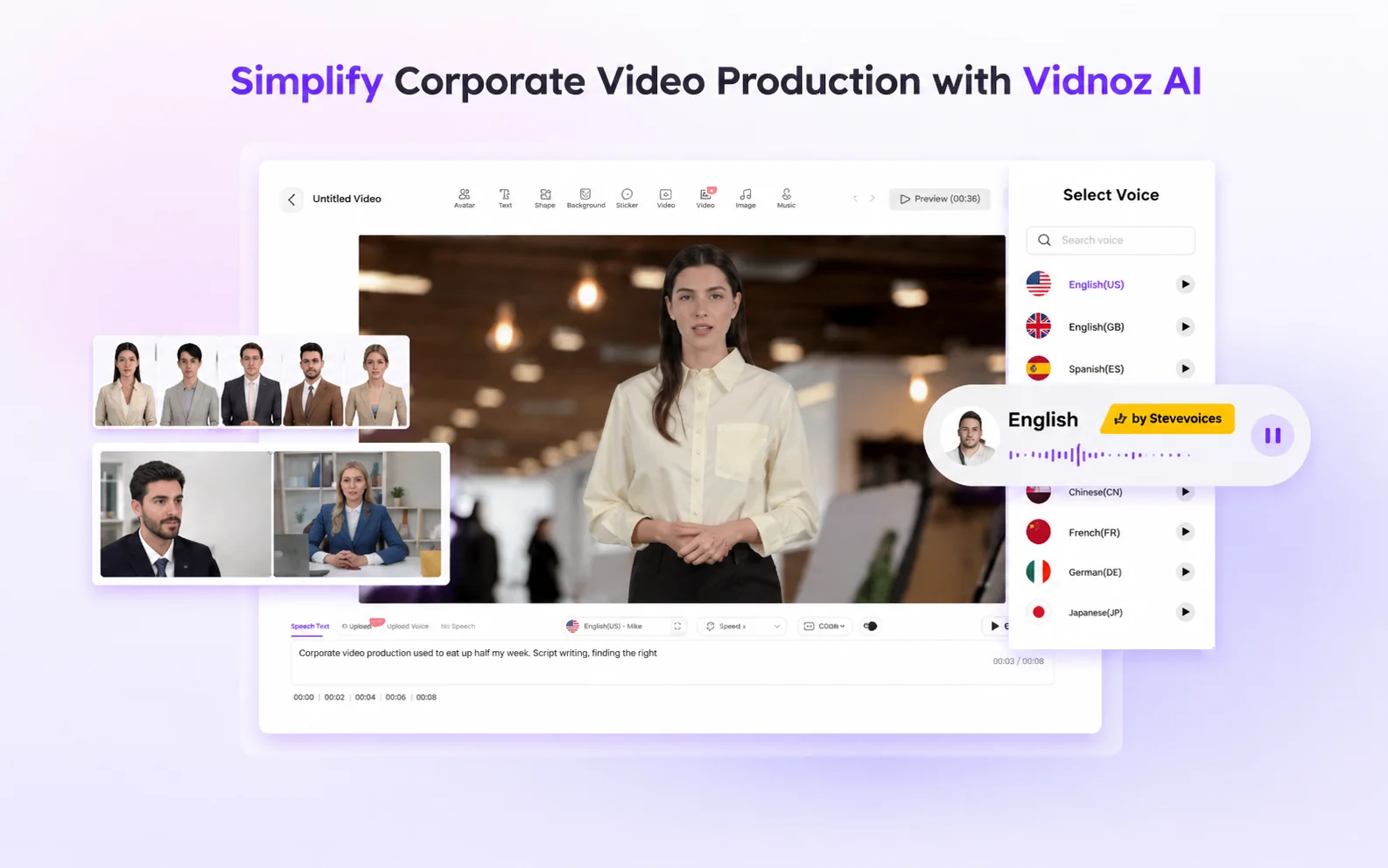

Simplify Corporate Video Production with Vidnoz AI
Corporate video production used to eat up half my week. Script writing, finding the right presenter, booking studio time, editing, rendering, and then going back to fix the things the client changed their mind about at the last minute. By the time a single training video was done, I had spent more time on production logistics than on the actual content.
That changed when I started using Vidnoz AI.
Vidnoz AI is a free AI-powered video creation platform that simplifies the entire production process using AI tools. It is certified with ISO/IEC 27001:2022 for Information Security Management. For anyone producing internal training videos, client-facing presentations, or product explainers regularly, that certification is worth knowing about upfront.
Here is what I found after using it properly across several real projects.
Why Corporate Video Production Needed a Better Solution
Most businesses know they need video content. Training modules, onboarding guides, product demos, and executive communications. The demand is constant. But the traditional production process is slow, expensive, and dependent on people and equipment that are not always available.
Believe it or not, the biggest bottleneck is usually not the script. It is everything that comes after it. Finding an available presenter. Recording in a decent environment. Editing out the mistakes. Rendering. Repeating the whole process every time something needs updating.
Vidnoz AI removes most of those steps entirely. And the best part? Every user gets 30 credits of free video generation per day to start with. No credit card, no commitment. You can test it on a real project before spending anything.
The Features That Actually Make a Difference
Vidnoz AI brings together advanced features, an intuitive interface, and powerful automation. You do not need prior experience or technical skills. All you need is an idea.
1900+ Lifelike Avatars
This is the feature I use most. Vidnoz AI gives you access to over 1900 lifelike avatars drawn from different industries and roles. Sales presenters, educators, executives, and technical trainers. Whatever the context of your video, there is an avatar that fits it naturally.
But that is not all. Beyond the existing library, you can also create a digital twin of yourself, build an expressive avatar that matches your brand personality, or use a product avatar tailored to a specific use case. I used a digital twin for a series of internal communications videos, and the feedback from the team was that it felt far more personal than a generic presenter.
For corporate use, this flexibility matters. A training video for a financial services team looks different from one for a creative agency. Having the right avatar for each context makes a genuine difference to how the content lands.

2000+ AI Voices in 140+ Languages
Vidnoz AI provides over 2000 natural-sounding AI voices in more than 140 languages, powered by ElevenLabs, Microsoft, and Google. That combination of providers means the voice quality is consistently high rather than relying on a single engine.
For a business producing content across multiple markets, this is significant. I used it to create the same onboarding video in four languages without recording a single voiceover manually. The lip sync accuracy across languages was noticeably better than the tools I had tried before.

2800+ Pre-Designed Video Templates
The template library covers over 2800 pre-designed options across a wide range of corporate use cases. Product launches, HR communications, sales pitches, e-learning modules, social media content. Starting from a template that already fits the format you need cuts production time dramatically. I went from a blank brief to a finished video in under thirty minutes on several occasions.
How to Create a Corporate Video With Vidnoz AI
The process is straightforward. Here is exactly how I do it.
Step 1: Choose a Template and Avatar
Open Vidnoz AI Video Generator and browse the template library. Pick one that fits your video format and purpose. Then select an avatar from the library or customise one to match your brand or presenter style.
Step 2: Create AI Voiceover
Enter your script and choose a voice from the 2000+ options available. Pick the language, tone, and speaking style that suits your audience. The AI generates a natural-sounding voiceover that syncs automatically with your avatar.
Step 3: Add a Custom Touch
Personalise the video with your branding. Add logos, adjust colours, include captions, or drop in supporting visuals. This is where the video stops looking like a template and starts looking like yours.
Step 4: Generate and Share
Hit generate, and the platform renders your finished video. Export it in your preferred format and share it directly or download it for distribution. The whole process from Step 1 to finished video takes a fraction of the time traditional production requires.
Pros and Cons After Real Use
Here is what I genuinely think after using it across multiple corporate projects.
Pros
- The avatar library is vast and genuinely covers most corporate contexts without needing customisation every time.
- Voice quality powered by ElevenLabs, Microsoft, and Google is noticeably better than a single-engine alternative.s
- 30 credits of free daily generation means you can test it properly before committing to a paid plan.
- ISO/IEC 27001:2022 certification makes it a credible option for enterprises and regulated industries
- Multi-language support across 140+ languages makes it practical for global teams without additional recording costs.
- The template library is large enough that you rarely need to start from a blank canvas.
Cons
- 30 credits of free daily generation fills up quickly on longer videos, so regular users will likely need a paid plan.
- Some templates feel more polished than others, and it takes time to learn which ones translate best to your specific use case.
- Avatar customisation, while flexible, has a learning curve if you want to create something highly specific from scratch.
My Honest Verdict
The simple truth is that corporate video production does not need to be as slow or as expensive as most businesses assume. Vidnoz AI removes the parts of the process that take the longest and cost the most without sacrificing the quality that makes video worth producing in the first place.
For any team producing regular video content across training, communications, or marketing, this is worth building into your workflow. Start with the free daily generation, run it on a real project, and see how much time it actually saves you.
